Adding People, Roles and Inviting
Adding People
People and their details can be added to Adventist Place to help leader's track roles, spiritual interest level and manage access to Adventist Place's online services.
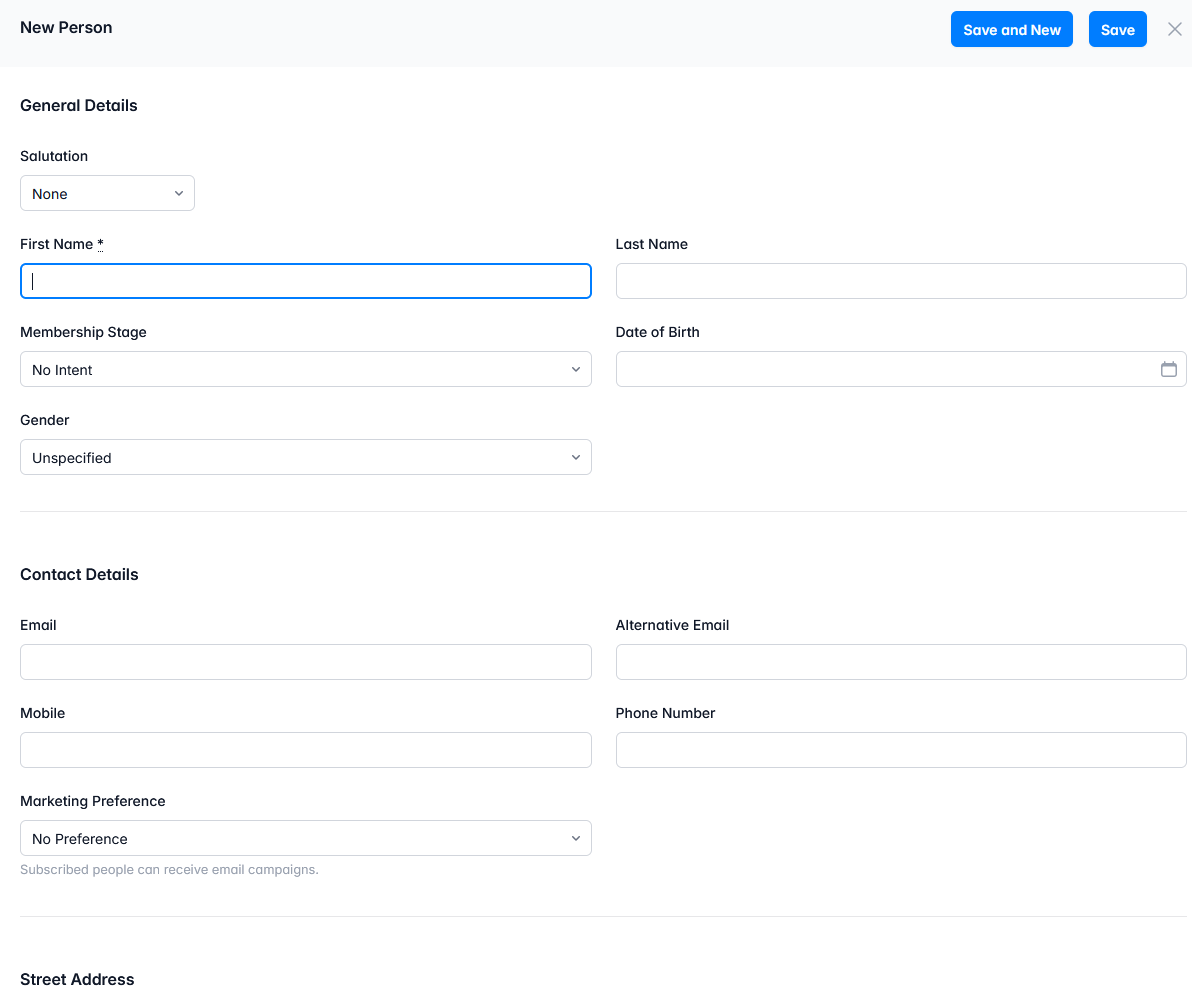
To add a new Person:
- Go to People in the main menu of Adventist Place
- Do a search to see if they are in the list already, else click 'New'
- Add the First and Last name
-
Email is optional if the person will not have a role that requires login to Adventist Place.
If the person will be given a role that requires a login, you must add their personal email address (not a shared church/family email)
- Click 'Save' if only adding one person, or 'Save and New' to save that person and have the form automatically re-open to add the next person quickly.
Adding Roles
Roles can be applied to people to help leaders manage who's in charge of what, to display select role holders on your Adventist Site, for showing who is coordinating events and needs contacting, and to manage who can access what areas of Adventist Place
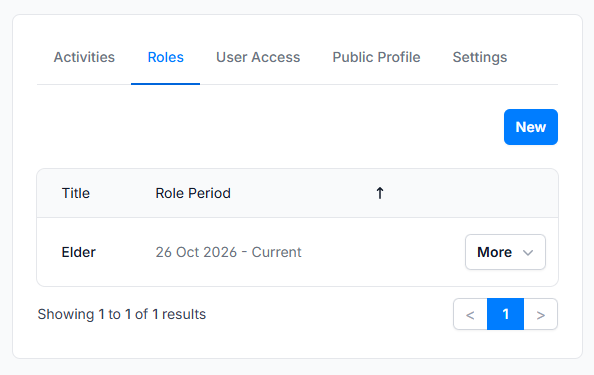
To apply a Role to a Person
- Go to People in the main menu of Adventist Place
- Find, or add, the person
- Open the person's overview by clicking on their name
- Click Roles
- You can see all applied roles, and the dates they apply to
- If you have permission, you will see a 'new' button, click that to add a role to that person
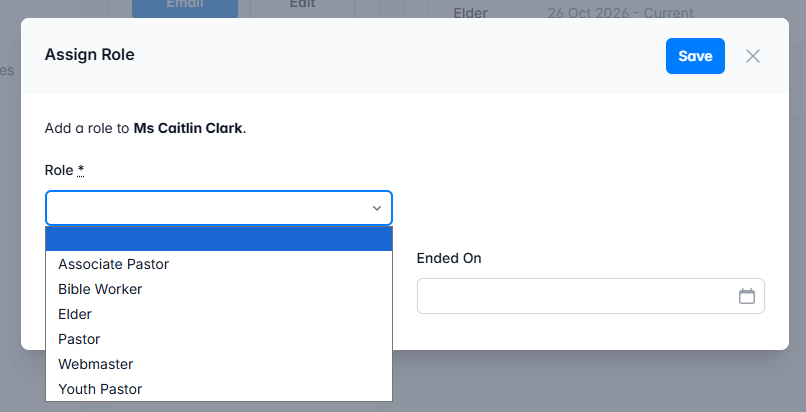
- Choose a role from the drop down. If the role wanted is not in the list yet, it needs creating in the People>Roles menu (if you have access to create Roles for your Adventist Place)
- A start and end date can be selected.
- Save
Inviting Role login access
A person in Adventist place can have Roles applied to them, but if the person has a role that requires the ability to log in and use Adventist Place's services, and they don't already have access from a different invitation, they will need inviting for the first time.
People can be added to your Adventist Place without including their email address, and without any need to invite them, however, for all People who have certain Roles given to them that need access to Adventist Place's online services, an invitation needs to be sent to that Person's email address. After that they must click the link in that email within 30 days and set a password.
To Invite a Person to a Role that requires access
After adding a person, and applying their role(s)n:
- Open the person's overview and check they have an email listed
- Click Roles
- If you have permission, you will see a 'new' button, click that to add a role to that person
- Choose a role from the drop down. If the role wanted is not in the list yet, it needs creating in the People>Roles menu (if you have access to create Roles for your Adventist Place)
- A start and end date can be selected.
- Save
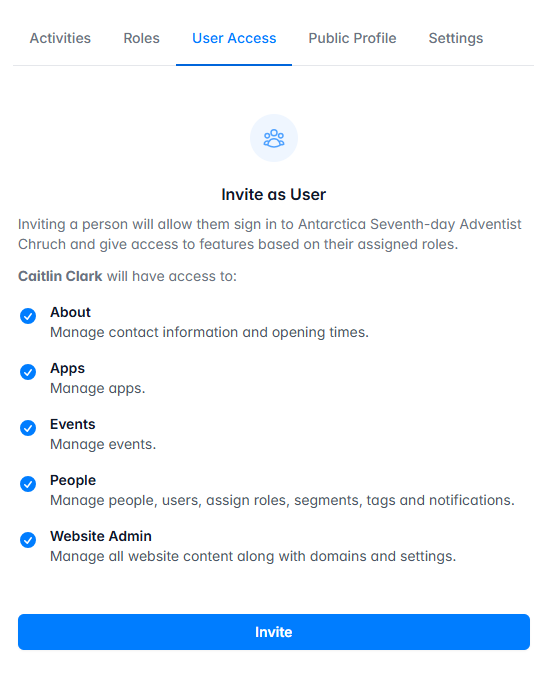
TIP: To invite a person to a role on Adventist place, the person requires a name, email and at least one role applied to their account that requires access permissions.